Use cases

The Maps, in practice.

A few examples of what you can do with The Maps to read your territory, plan your strategy and take action.

Organizations

See your entire ecosystem.

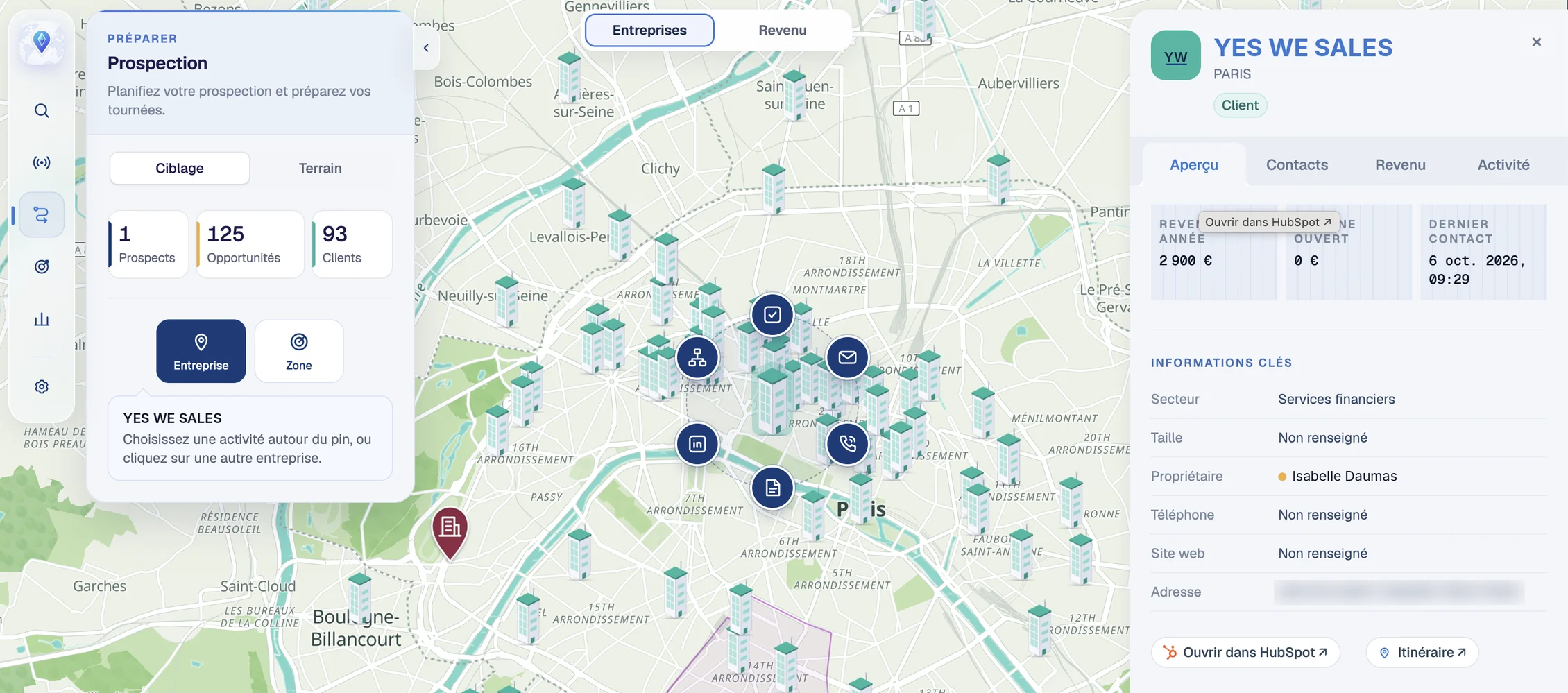
The Maps: CRM companies on a map of Paris, with the Prospecting panel on the left and the Yes We Sales company record on the right.
Immersive CRMInteractive map

Visualize your CRM

The need
You find it hard to picture your territory and you need a visual, interactive universe to explore it.
What The Maps shows
Your companies, prospects, customers, partners, deals and revenue, brought together on a single map.
What changes
A more interactive view of your data: you explore your CRM instead of scrolling through lists.
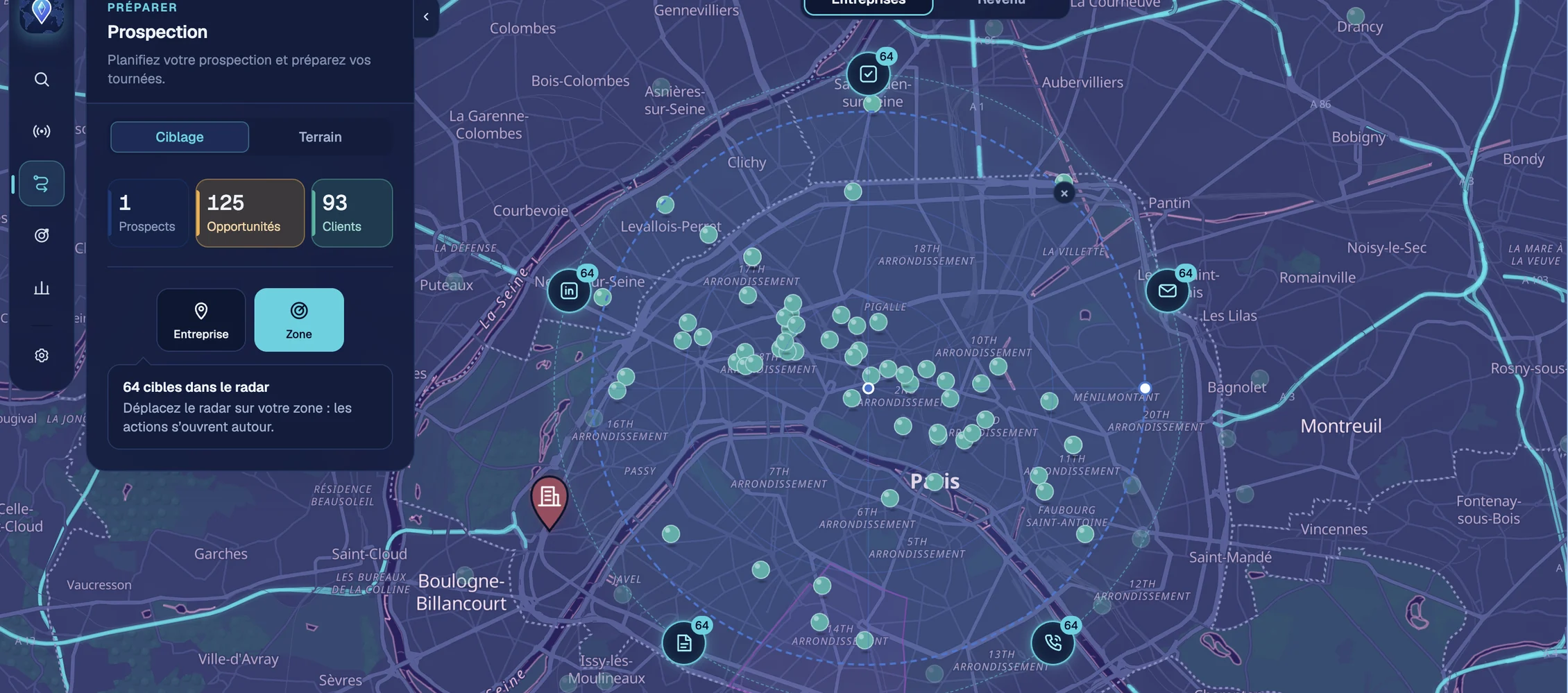
The Maps in dark mode over Paris: the Area radar covers 64 targeted companies, surrounded by the actions to launch on the whole selection (tasks, LinkedIn, emails, notes, calls), with the Prospecting panel on the left.
RadiusQuick actions

Launch targeted actions

The need
You want to act and engage on a specific area or company: follow up with accounts, prospect, take notes, create tasks, without spending hours building lists in your CRM.
What The Maps does
You select an area with the radar, or a single company, and the actions open around it: email, task, note, call, LinkedIn.
What changes
In one click, you launch the same action on every company within the radius.
Sales Territories

Manage your sales territory.

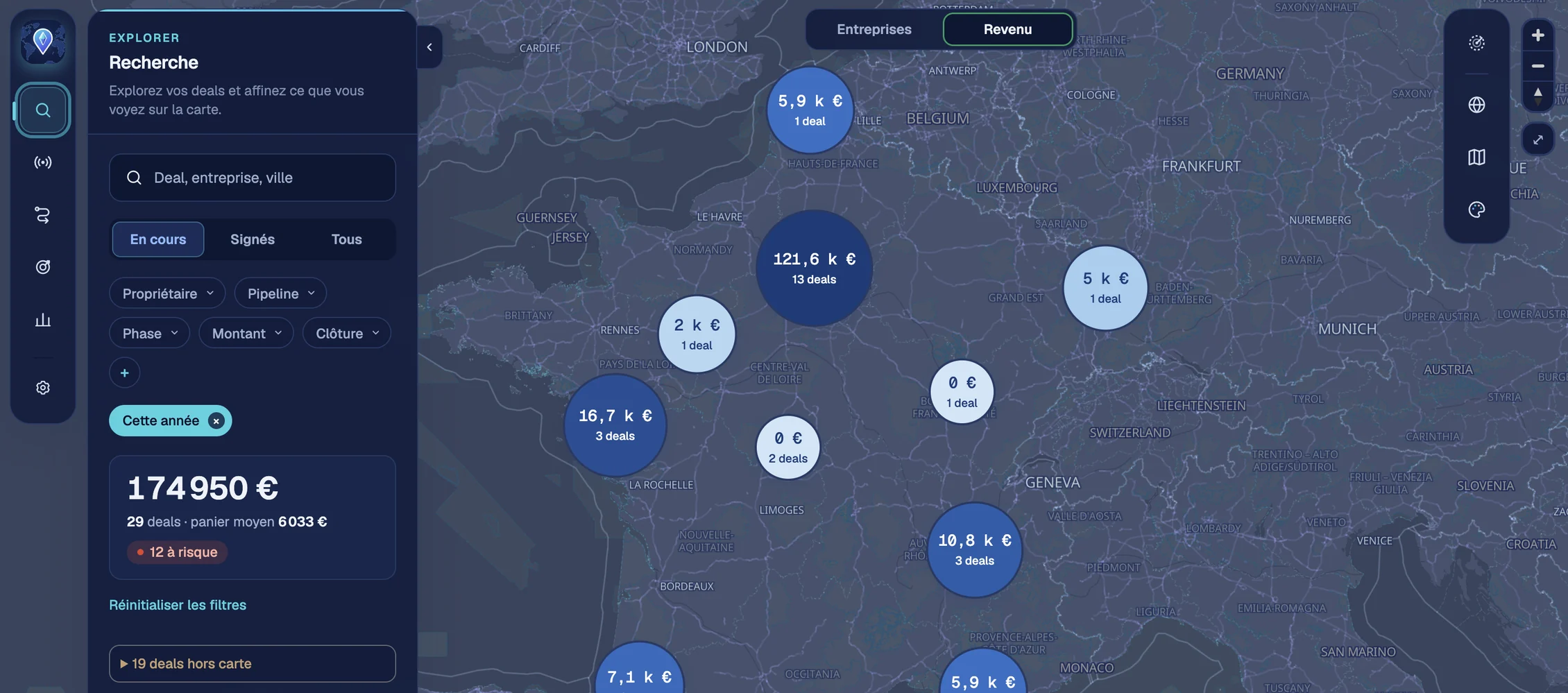
The Maps, Revenue view: open deals grouped by area on a map of France, with the amount and number of deals in each bubble, and on the left the search panel with a total of €174,950 across 29 deals.
RevenueForecast

Measure your revenue and manage your forecast

The need
You need to know where your revenue comes from and what can still close before year end. But your dashboards don't tell you where those deals sit on your territory.
What The Maps shows
Your revenue and pipeline grouped by area, with the amount and number of deals in each sector. You filter by open or won deals, owner, stage, amount or close date, and you see the total, the average deal size and the deals at risk.
What changes
You spot at a glance the areas carrying your forecast and those falling behind, and you adjust your priorities and how you manage your sales reps accordingly.
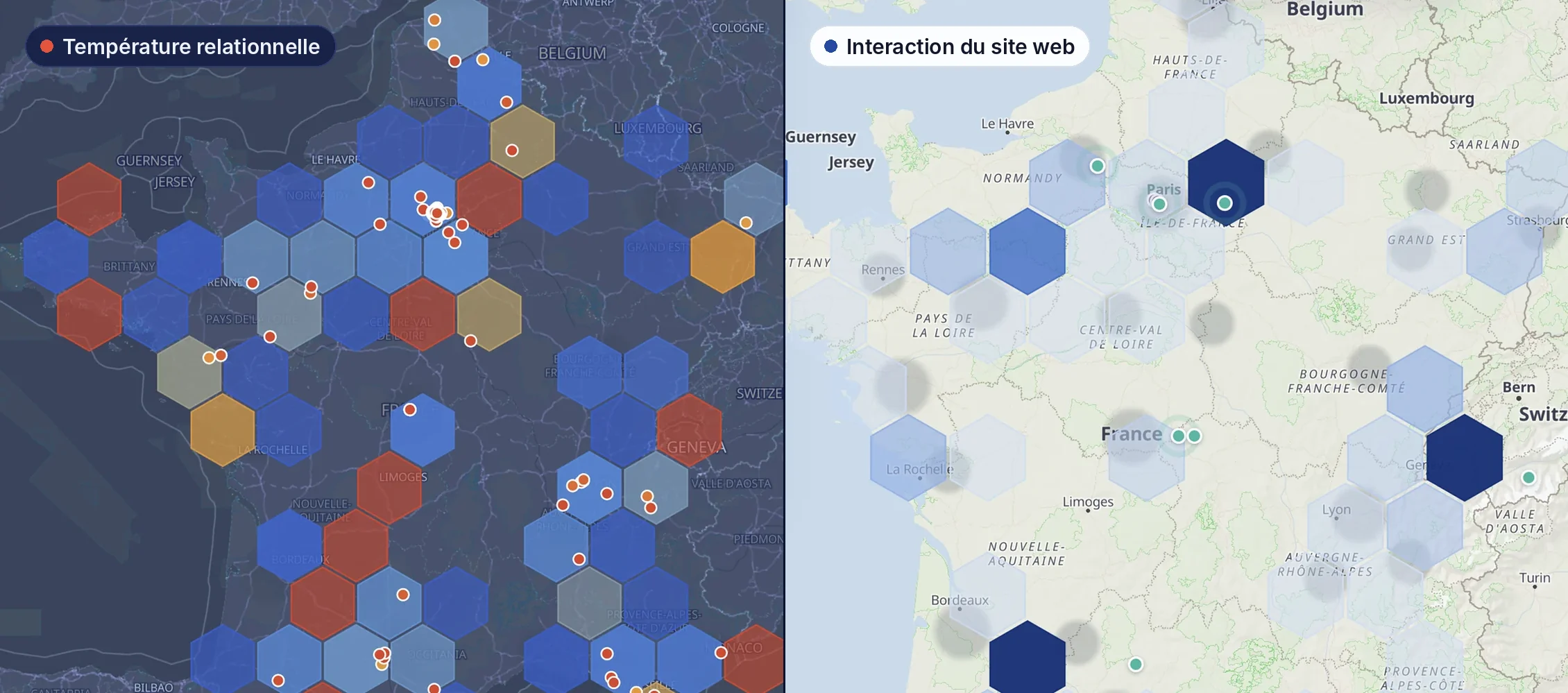
Two views of France in The Maps Signals module: on the left, relationship temperature, from blue (cold relationships) to red (warm relationships), with companies as dots; on the right, website interaction in blue hexagons, darker where visits are recent.
SignalsBuying intent

Listen to interest signals

The need
Your prospects do their research before talking to you: they visit your website and open your campaigns. You need to know where interest is rising so you can reach out at the right time.
What The Maps shows
Recent visits to your website, area by area and company by company, and engagement with your HubSpot campaigns. The areas where interest is strongest stand out at a glance.
What changes
Your sales reps call the accounts that have just shown interest, while they are warm, instead of following up blindly.
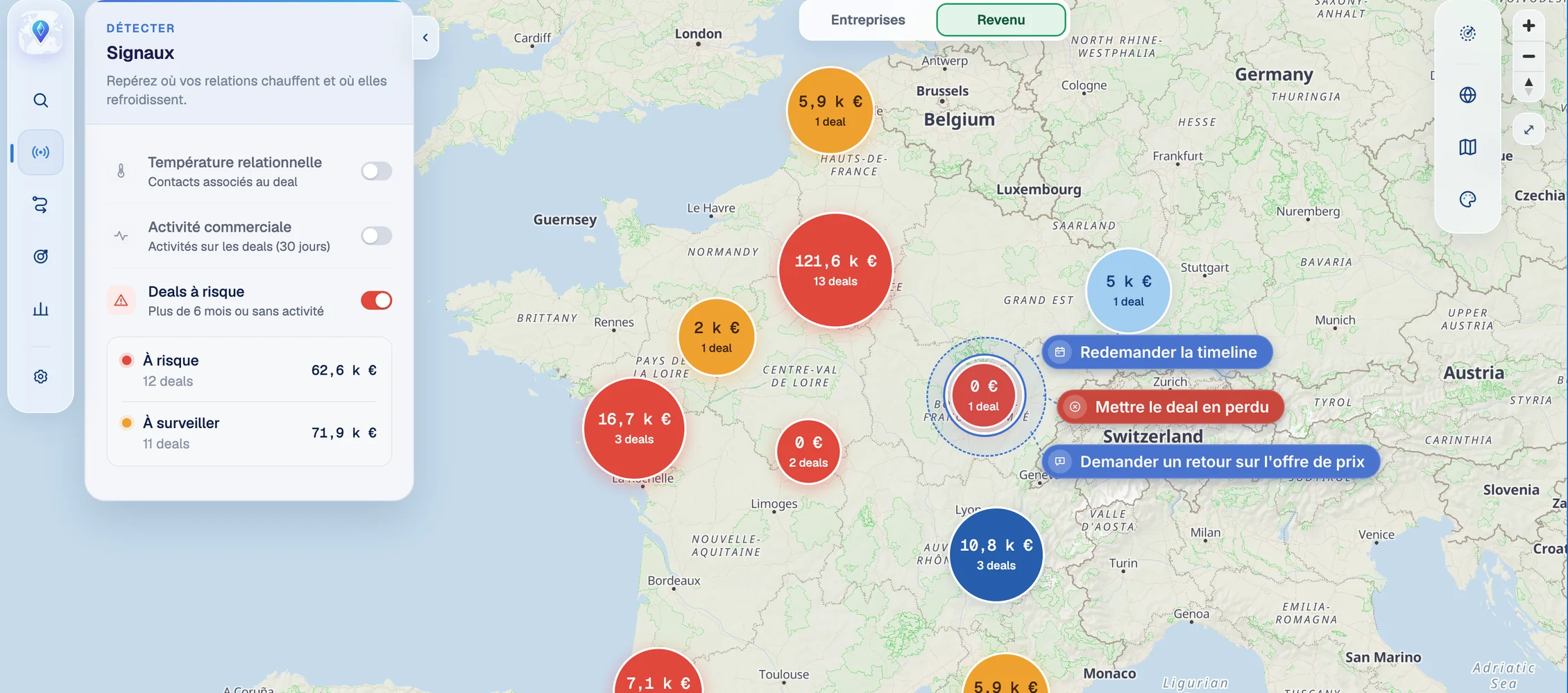
The Maps, Signals module with the Deals at risk filter on: on the map of France, deal bubbles are red when at risk and orange when to watch; on the left, €62.6k at risk across 12 deals and €71.9k to watch across 11 deals. A selected deal offers three actions: ask again for the timeline, mark the deal as lost, ask for feedback on the price offer.
SignalsAlerts

Spot your deals at risk

The need
Part of your pipeline is sleeping without anyone noticing: deals open for months, with no follow-up or activity. You need to spot them before they are lost.
What The Maps shows
Your deals colored by risk level: red for those open for more than 6 months or with no activity, orange for those to watch. For each category, the number of deals and the amount at stake.
What changes
You know where to follow up first and how much revenue you could lose. Your sales reps revive the right deals in the right place, before it's too late.
Public Institutions

Understand territories. And the people who bring them to life.

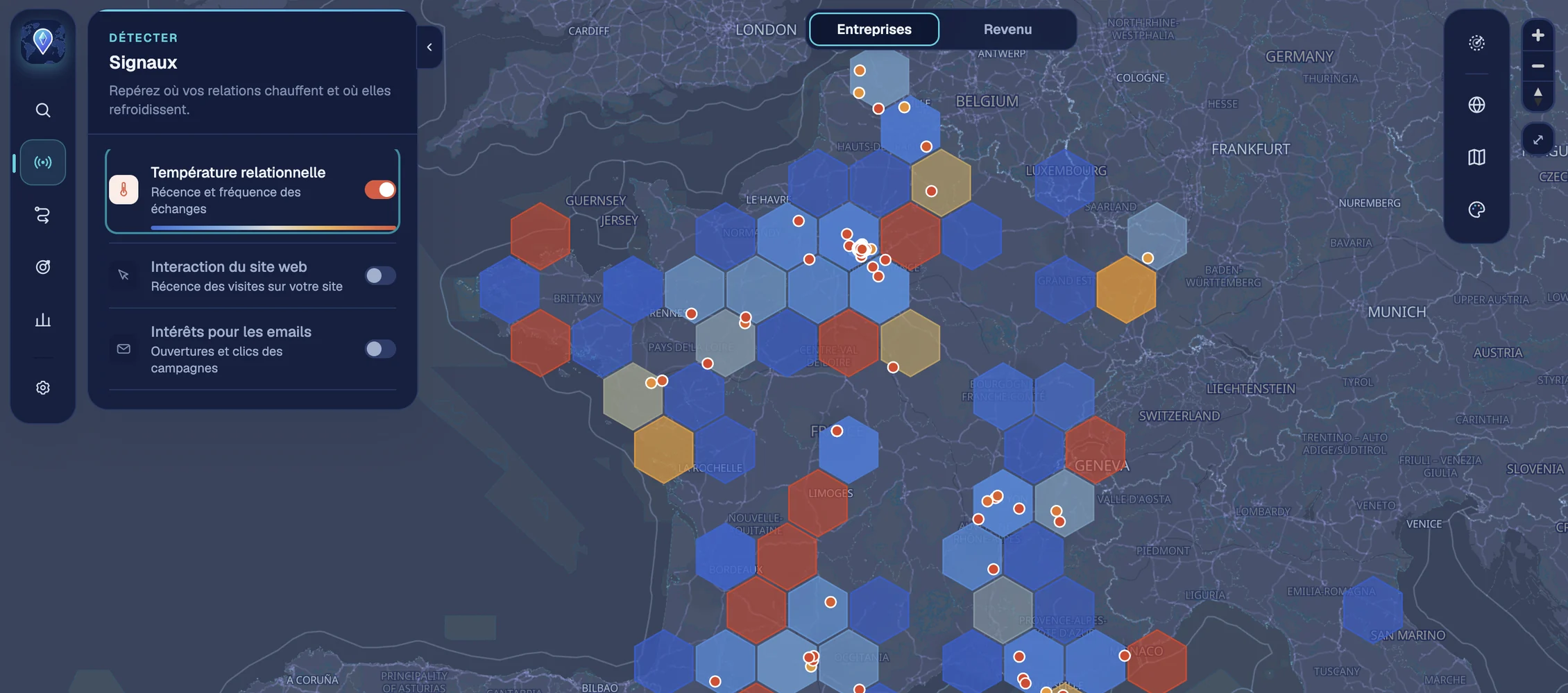
The Maps, Signals module with Relationship temperature on: the map of France divided into hexagons colored by the recency and frequency of interactions, with companies as dots.
Relationship temperatureInfluence

Map your networks of influence

The need
You work with local authorities, elected officials and public stakeholders, and your relationships rely on regular contact. You need to know where your network is strong and where it is fading.
What The Maps shows
The temperature of your relationships, area by area, calculated from the recency and frequency of your interactions. It is complemented by visits to your website and engagement with your email campaigns.
What changes
You nurture your relationships before they cool down and focus your meetings where your influence needs strengthening.
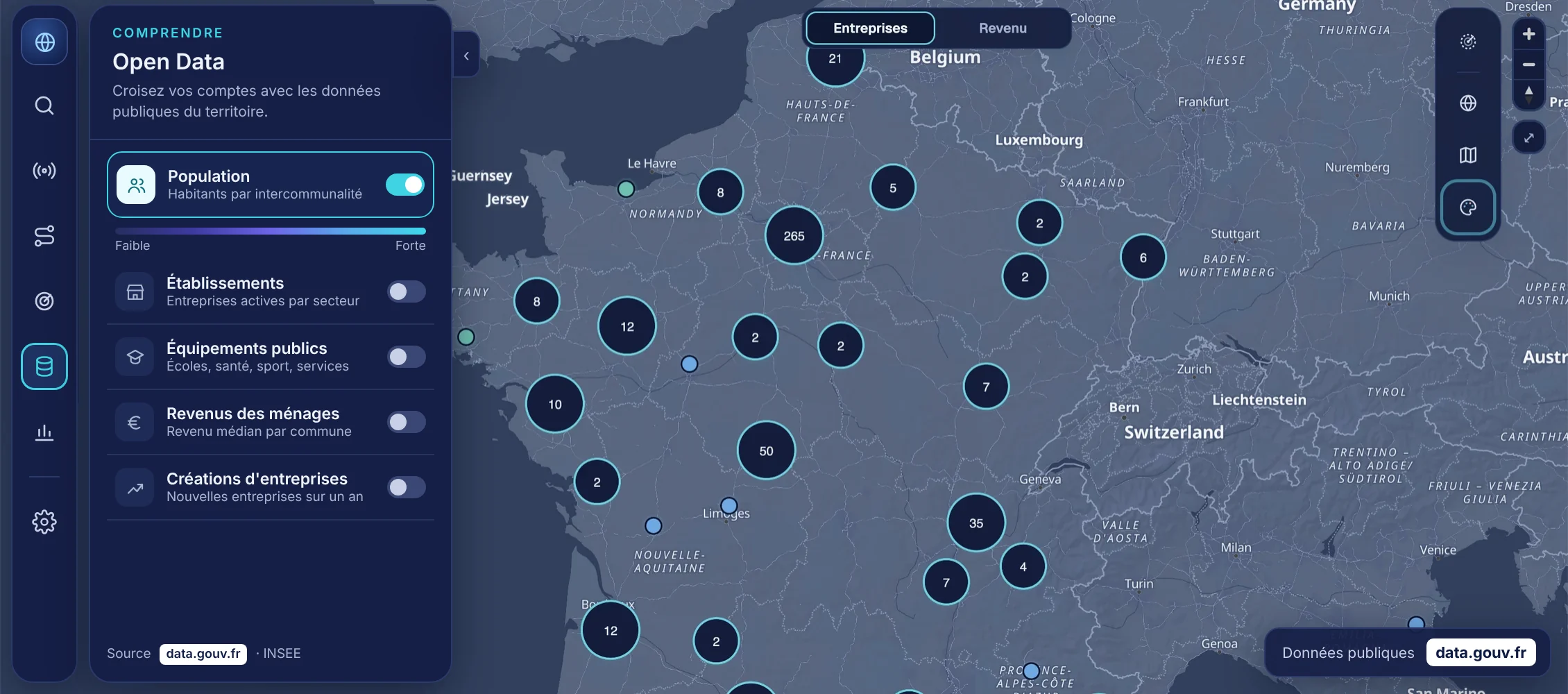
The Maps in dark mode: the Open Data panel (population, establishments, public facilities, household income, business creation, source data.gouv.fr) and your companies grouped on the map of France.
Open DataPotential

Combine your data with Open Data

The need
You need to understand a territory beyond your own data: its population, its business fabric, its public facilities, its public projects.
What The Maps shows
Public data, notably from data.gouv.fr, layered over your accounts, municipality by municipality or district by district.
What changes
You prepare your meetings with local authorities knowing their territory in detail, and you spot high-potential areas where you are not yet present.

Don't see your use case here?

Let's talk about your territory and your data.

Request access